Description
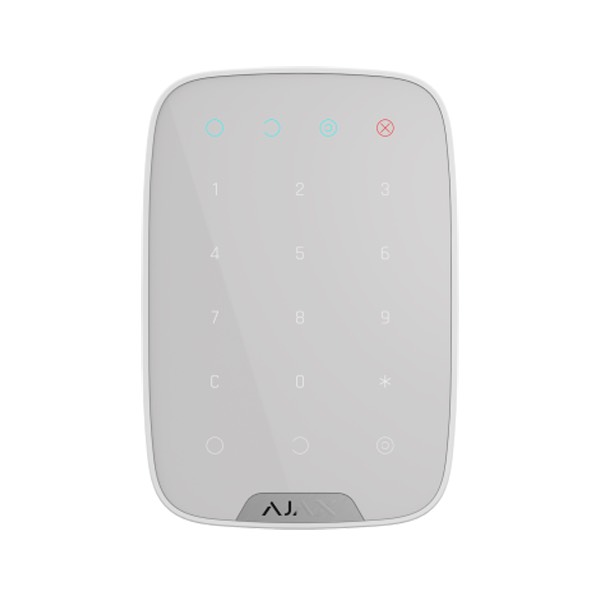
Ajax AJ-KEYPAD-W - Wireless touch keypad for arming and disarming the Ajax security system.
How does the Ajax KEYPAD touch keypad work?
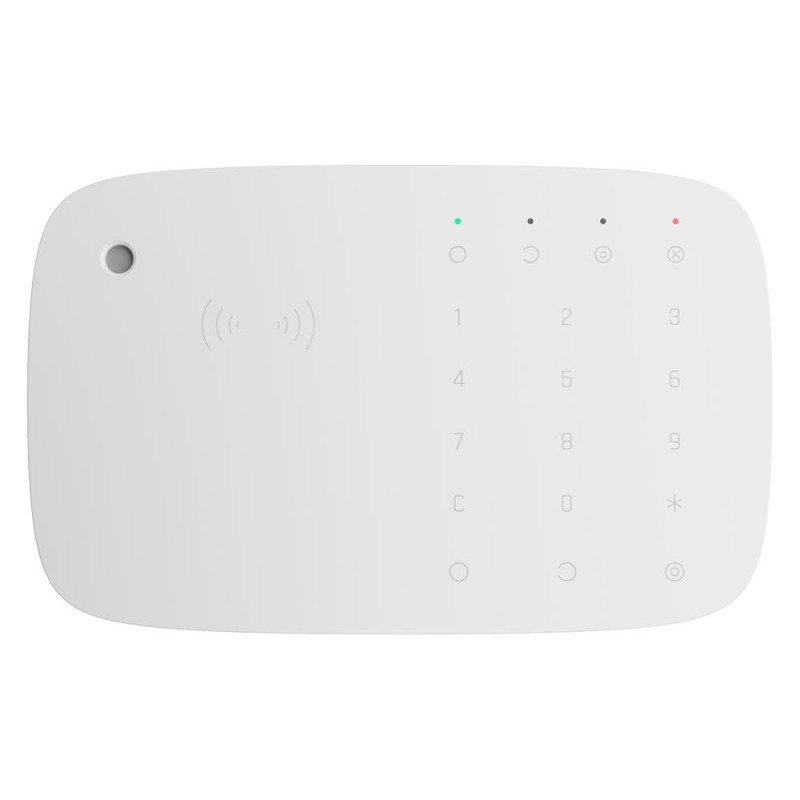
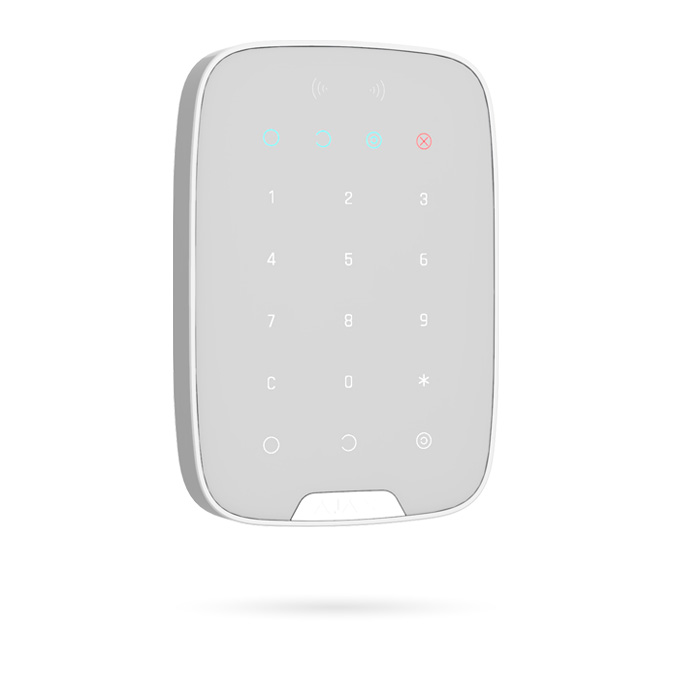
Keypad is a wireless touch keypad that controls the Ajax security system. It arms and disarms a room, reports the system status, is protected against password guessing and includes a silent alarm if the code is entered under duress. It is installed at the entrance, near the front door, so it can be reached quickly.
Keypad only works with the Ajax security system (it cannot be used with third-party security systems), connecting to the hub via the Jeweller security protocol. Communication range: up to 1700 metres without obstacles.
Keypad is configured through a mobile app for iOS and Android smartphones.
The device controls the security modes when the digital code is entered on the keypad. It indicates the current security status, detector faults or loss of communication with the control panel (hub).
What are the main features of KEYPAD?
- Stand-alone keypad
- Two-way communication
- Grade 2 certified
- Wireless 868 MHz Jeweller
- Internal antenna, open-air range up to 1700 m
- Anti-opening tamper
- Allows full arming / partial arming / disarming by code
- Lets you keep the control panel in a secure location
- System status LED indicator
- Powered by 4 x AAA 1.5 V lithium batteries (estimated life 2 years)
- Indoor use
- Bracket included
- White
How is KEYPAD installed?
Ready to use straight out of the box: the battery is already installed, so there is no need to take the keypad apart. With a single tap you can connect it to the control panel (hub) in the app on your mobile device. It can be mounted on the SmartBracket in a matter of minutes.
Fix the SmartBracket panel to the surface using the screws provided, using at least two fixing points (one of them above the tamper switch). If you use any other fixing method, make sure it does not damage or deform the panel.
Place the KeyPad on the mounting panel and tighten the mounting screw on the underside of the housing.
As soon as the keypad is fixed to the SmartBracket, the X (Error) LED will flash: this indicates that the detector's tamper switch has been triggered.
If the keypad's X (error) LED does not activate after installation on the SmartBracket, check the tamper switch status in the Ajax Security System app and adjust how firmly the panel is fixed.
If the keypad is torn off the surface or removed from the mounting panel, you will receive the corresponding alert.
KEYPAD functional elements
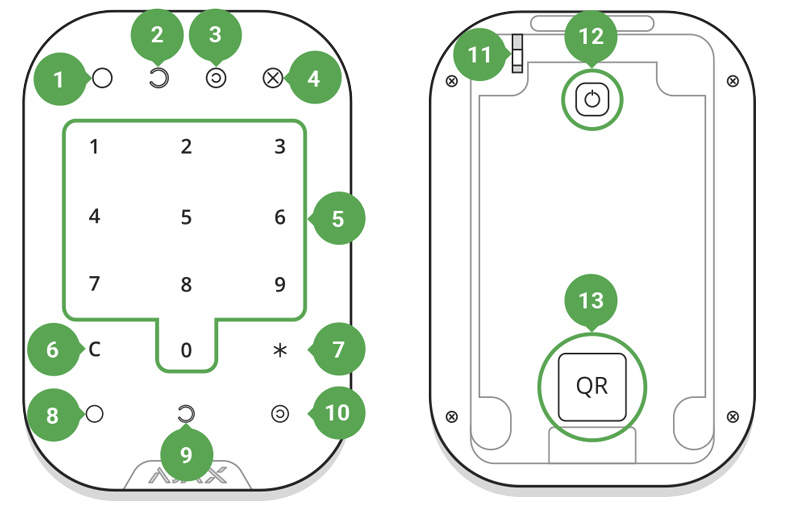
Armed mode indicator
Disarmed mode indicator
Night mode indicator
Malfunction indicator
Touch-sensitive numeric keypad
Clear button
Function button
Arm button
Disarm button
Night mode button
Tamper switch
Power on/off button
QR code
Technical specifications:
- Brand: Ajax
- Security grade: Grade 2
- Functions: Arming, disarming, partial arming and emergency
- Frequency: 868 MHz Jeweller
- Transmission range: ≤ 1700 m in open space
- Compatibility: Compatible with the Ajax HUB from firmware version 2.0 or higher
- Battery: 4 x AAA 1.5 V (approx. 2 years' life)
- Housing material: ABS plastic
- Operating temp.: -10°C ~ 50°C
- Dimensions: 150 (H) x 102.5 (W) x 13.2 (D) mm